This will be a really short post.
If you have an AZ SQL Managed Instance and for some reason you need to check which version of SQL Server is installed, you will probably see this:
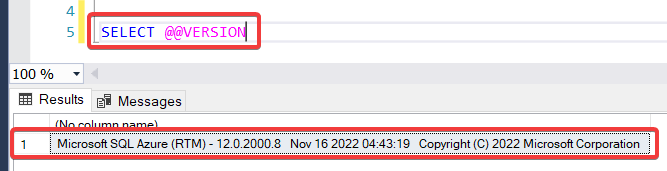
or maybe this:

And then maybe, just like me, you will be distracted that day and not fully focused and you will think oh! I’ll check which version this is in google! This should be quick!
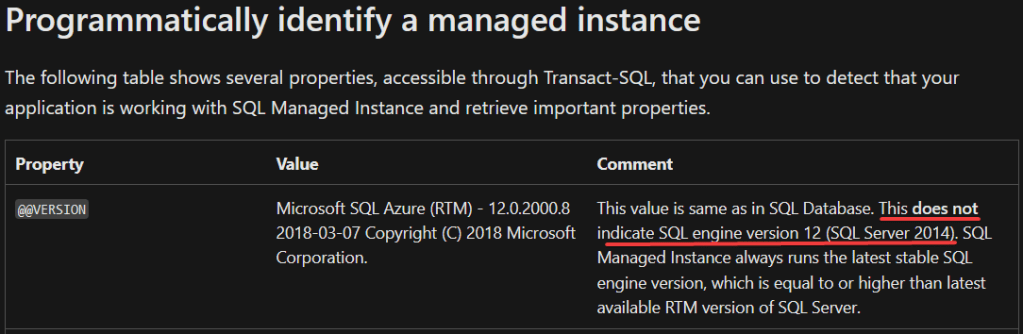
Well, not that fast or, you will end up having a mini panic attack just like me! Why? You will probably find information related to the build version/number of the on-premises SQL Server 2014 version. And yes, you will find the same exact build version/number (12.0.2000.8), this is why you might freak out and think that you have a really old version of SQL Server in Azure and that its support will end really soon (Jul 9, 2024) and you will have to migrate or upgrade somehow. Fortunately for you that is NOT the case, so breath and relax.
Microsoft explains it clearly:
This does not indicate SQL engine version 12 (SQL Server 2014). SQL Managed Instance always runs the latest stable SQL engine version, which is equal to or higher than latest available RTM version of SQL Server.
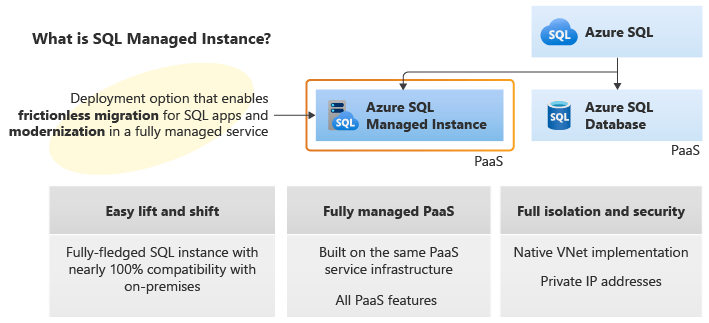
Let’s remember that AZ SQL Managed Instance is a fully managed and evergreen PaaS (Platform as a Service). The evergreen word is important because it means that Microsoft will update constantly the product with incremental and small changes (enhancements, new features, bug fixes, etc.).
This is it! I hope you have learned from this short post!
 Tech & more blog
Leave a comment