Almost a month ago, I changed my job. I am now working with a different company, a different team, and of course, a new tech stack. One of the new tools I will be using is git, the Distributed Version Control System (DVCS), which to be honest with you, I haven’t used as much as most developers have, so it is nice to have the opportunity to use it again. However, this time I wasn’t going to let happen what happened last time: I basically learned how to use a git GUI, but I never really took the time to learn the core concepts. Thus, I decided that I wanted to understand well how it works, the GUIs that are out there, its commands, how I could use the tool efficiently, and more.
After a couple of hours of reading about git, I ran into a concept that I couldn’t remember clearly at the moment: checksums. I wasn’t completely sure what it was, why it was related to git and the way it is used to guarantee when a file has changed. So, to fill this void, I decided to write a post about it to make sure I truly understood the concept after all the reading I did.
Let’s start with the basics: git.
What is git?
My explanation of git will be short and I will not go into many details as I will be publishing one or more posts about it soon.
git is the most popular distributed version control system. In simple terms, it is a system that allows you to keep track of the changes that your project’s files could have. Whether you have modified/added/deleted one, two, fifty, or hundreds of files within your project, git will know it and it will help you keep track of them.
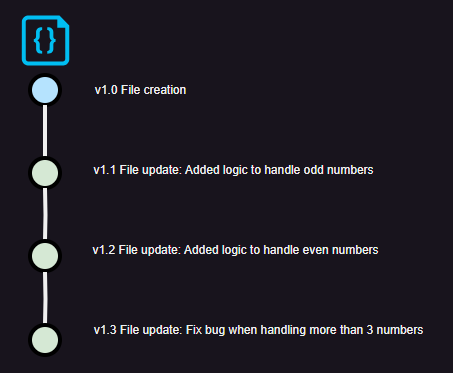
It is a distributed system because project’s contributors can download an exact copy of the project and its history (log of all the changes that all the project’s files have had) to their workstations. In git-commands words, they clone the project from the main repository to their workstations.
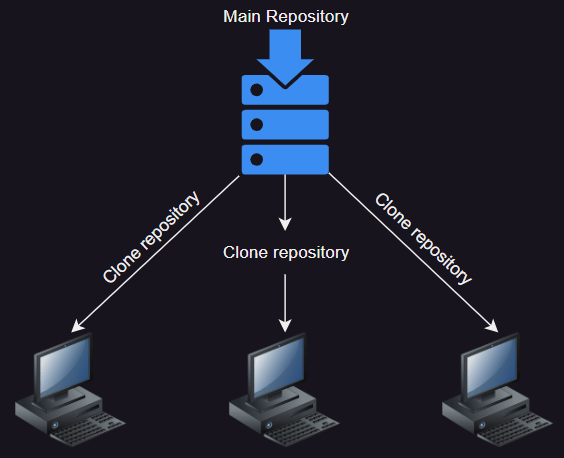
This approach allows them to work in offline mode and commit their changes to their local project. Having all the history in your local drive is what allows you to work as if you were online. You could be traveling in an airplane and you could be coding and committing your changes with no issues to your local repository/project. Once you are back online, all you need to do is upload (in git-commands words, push) your changes to the main repository and that would be it (as long as someone else hasn’t committed changes to the same files you were working on — in that case, additional steps would be required).
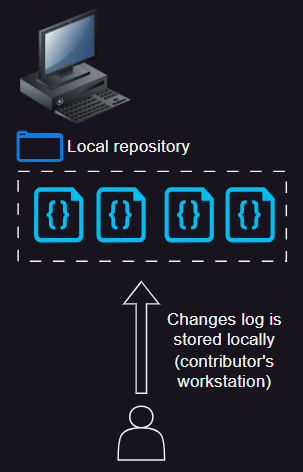
This is the part of the process that we are interested in: the commit. Every time you commit a file, git computes the checksum of it, stores it and uses it as an identifier of the commit. This is how git guarantees that whenever you need access the content of a file, you are really accessing the original content. So, if someone hacked your repository and modified the content of a file, git would generate an error as the checksum of the new content would not match with the original content’s checksum.
There are also other details that makes it difficult to modify the history of a repository that we will not cover.
It sounds great that git has this wonderful feature thanks to this so called checksum, but…
What is a checksum?
A checksum is the result value of a hash function/method. So, if we needed to compute the checksum of a file, we need to use a hash function/method. There are several of them, but git calculates the checksum of the content of a file by using the SHA-1 algorithm.
Another characteristic of a checksum is that no matter what input was used to generate it, it will always has the same size and, depending on the algorithm used, it should be unique. The size or length depends on the algorithm used by the hash function/method; some of them generates values (or checksums) of 160 bits of length, such as the SHA-1, and others generates values of 256, 512, or even 1024 bit.
Regarding the uniqueness, I used the word should as there might be ocasions in which two different inputs could generate the same checksums. This is what is called a Hash Collision and here is a visual example gotten from Wikipedia:

If this is not clear enough, maybe calculating the checksum of a file by yourself could clarify everything.
How to calculate the checksum of a file by using the PowerShell command Get-FileHash?
The Get-FileHash command let us calculate the checksum of a file by using any of the following algorithms:
- SHA1
- SHA256
- SHA384
- SHA512
- MD5
Let’s do the exercise with all the possible algorithms.
If you are using a Windows-based PC, you can open PowerShell by pressing the Windows key and typing PowerShell; then you can click on the one called Windows PowerShell ISE.
By default, it always open on the current user’s folder.
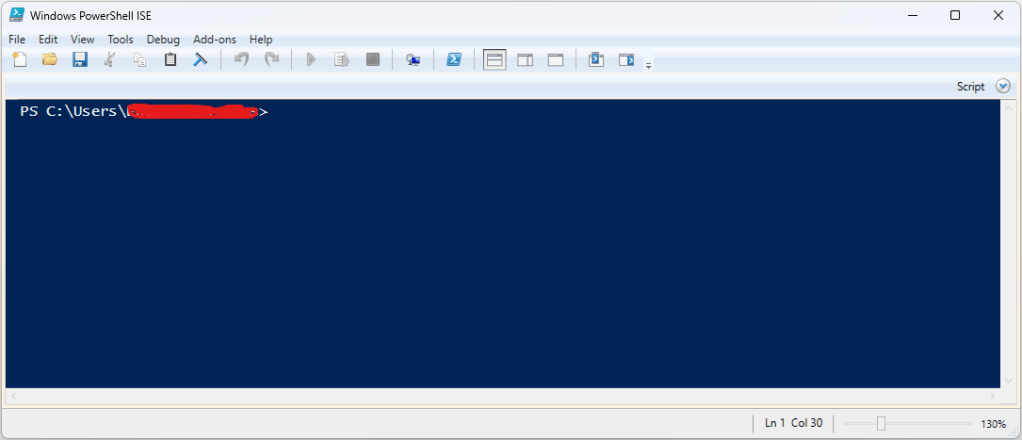
To make things simpler, type the following command to go to the Windows Downloads folder:
cd downloads
Create a sample file in the folder and paste the following commands:
Get-FileHash "YourFileName" -Algorithm SHA1
Get-FileHash "YourFileName" -Algorithm SHA256
Get-FileHash "YourFileName" -Algorithm SHA384
Get-FileHash "YourFileName" -Algorithm SHA512
Get-FileHash "YourFileName" -Algorithm MD5
You should see something like this:

What you see in the Hash column is the checksum, which to reiterate, it is just the result of a hash function/method. In the case of the first line of our exercise, it is the result of applying the SHA1 algorithm to the file 2023-11-08 10 16am.csv.
What we just did is what git does, and then uses this checksum as an identifier of your commit. This way, it can guarantee that when you open a file from your repository/project, you will see the actual content that was committed because, as I mentioned earlier, no other input will generate that checksum. Remember, if by any reason the content of the file was modified, the checksum would be different to the one that git is using as a identifier and therefore, an error would be raised.
Summary
In this post, we focused on understanding the concept of a checksum and how it is used by git to guarantee the data integrity of the content of the files in your project/repository. We also learned how to calculate the checksum of a file by ourselves, and explored other concepts related to a checksum, such as Hash Collision.
I hope this has been interesting for you!
 Tech & more blog
Leave a comment